You're sitting at your desk at 11 PM… AGAIN. That 10-minute video? It's taken you six hours to edit. The timeline is a mess. The audio is unsynced. And you still haven't added captions.
Here's the truth: post-production doesn't have to be a time vampire.
The pros aren't working harder than you, they're working SMARTER. They've cracked the code on tools, workflows, and AI hacks that cut editing time in HALF (or more). And today, you're getting the same playbook they use.
Whether you're editing for YouTube, social media, courses, or client work, these video editing secrets will transform your workflow from painful to profitable.
Let's dive in.
The Speed Demons: Fastest Video Editing Tools You Need to Know
Not all editing software is created equal. Some tools will drain your time and patience, while others are built for velocity.
CyberLink PowerDirector remains the undisputed champion when it comes to rendering speed. If you're working with longer projects or highly compressed formats (like the footage from your smartphone), PowerDirector processes files faster than Adobe Premiere Pro or Final Cut Pro in most benchmarks. For content creators pumping out daily videos, this alone can save you HOURS every week.
But here's where it gets interesting…
CapCut has quietly become the secret weapon for mobile-first creators. Its automatic reframing feature is a GAME-CHANGER, it intelligently refocuses your footage so the important elements stay centered, no matter the aspect ratio. Shoot once, export for YouTube (16:9), Instagram (1:1), and TikTok (9:16) in minutes. Plus, it supports over 20 languages for auto-captioning, which saves HOURS on accessibility and engagement.
If you're on a budget (or just starting out), Shotcut offers full 4K exports with ZERO watermarks. And they recently added AI-powered automatic captions, putting it in the same league as premium tools, for FREE.
Movavi deserves a mention for beginners who want a drag-and-drop interface without sacrificing quality. You can master the basics in under an hour and produce polished content that rivals "pro" work.
Want more in-depth strategies on creating high-converting video content? Check out The Internet Insiders Club for weekly training on video marketing and automation.
AI-Powered Editing: Let the Robots Do the Boring Stuff
This is where things get REALLY exciting.
Artificial intelligence is fundamentally changing video editing, and you need to jump on this train NOW before your competition does.
Tools like Opus Clip, VEED, Submagic, and Captions.ai are automating the tedious tasks that used to eat up 70% of your editing time:
- Auto-captioning with 95%+ accuracy (in seconds, not hours)
- B-roll suggestions pulled from stock libraries based on your script
- Audio cleaning that removes background noise, echo, and mouth clicks
- Eye-contact correction that makes it look like you're staring directly at the camera (even when reading a script)
- Content repurposing that turns one long-form video into 10+ short-form clips automatically
Wondershare Filmora has integrated AI features that improve video quality without requiring a film degree or dozens of hours tweaking settings. Color correction? One click. Transitions? Auto-generated. Audio sync? Done in 3 seconds.
Here's my recommendation: Pick ONE AI tool and master it this month. Don't try to learn everything at once. Start with auto-captioning (VEED or CapCut), get comfortable, then layer in more automation.
For a complete breakdown of AI tools for content creation, grab the free bonus bundle at SimonLeung.com, it includes tutorials, workflows, and cheat sheets you can implement TODAY.
Copy-and-Paste AI Prompts for Video Editing Workflows
Alright, here's where we deliver MASSIVE value.
Below are ready-to-use AI prompts you can copy and paste into ChatGPT, Claude, or any AI assistant to streamline your video editing workflow. These prompts are designed to handle the heavy lifting so you can focus on creativity, not grunt work.
Prompt #1: Generate Video Captions & Subtitles
I need captions for a [LENGTH] video about [TOPIC]. The tone is [casual/professional/educational]. Generate accurate, engaging captions with proper punctuation and line breaks for readability. Include timestamps in SRT format.

Video transcript:
[PASTE YOUR TRANSCRIPT HERE]
When to use it: After recording, paste your transcript and let AI format perfect captions. Upload directly to your editing software.
Prompt #2: Create B-Roll Shot List
I'm editing a video about [TOPIC]. The main talking points are:
1. [POINT 1]
2. [POINT 2]
3. [POINT 3]

Generate a detailed B-roll shot list with 5-7 visual suggestions for each point. Include search terms I can use on stock footage sites like Pexels or Unsplash.
When to use it: Before or during editing when you need visual variety but aren't sure what to search for.
Prompt #3: Write Video Hook Scripts
Write 3 different video hooks (5-10 seconds each) for a video about [TOPIC]. The target audience is [AUDIENCE]. Make them attention-grabbing, curiosity-driven, and scroll-stopping. Use pattern interrupts and bold statements.
When to use it: During the editing phase when you want to test multiple openings before finalizing your intro.
Prompt #4: Generate Chapter Timestamps
Here's my video transcript:
[PASTE TRANSCRIPT]

Create YouTube chapter timestamps with descriptive titles. Make each chapter 2-5 minutes long and use keyword-rich titles for SEO. Format: 0:00 - Introduction, 2:15 - [Chapter Title], etc.
When to use it: After editing to improve watch time and searchability on YouTube.
Prompt #5: AI-Powered Audio Cleanup Instructions
I have a video with [describe audio issues: background noise, echo, uneven volume, etc.]. I'm using [SOFTWARE NAME]. Give me step-by-step instructions to clean up the audio using AI tools or built-in features. Keep it beginner-friendly.
When to use it: When you're stuck with bad audio and don't know where to start fixing it.
BONUS TIP: Save these prompts in a Google Doc or Notion page so you can access them quickly during every editing session. Better yet, grab the complete AI Prompt Library at SimonLeung.com with 50+ more prompts for video creation, marketing, and sales.
The Workflow Hacks That Pros Swear By
Speed isn't just about tools, it's about WORKFLOW OPTIMIZATION. Here are the secrets that separate amateurs from pros:
Batch your editing sessions. Don't edit one video at a time. Film 4-5 videos in one day, then dedicate ONE full editing session to process them all. Your brain stays in "editing mode," and you'll work 2-3x faster.
Create templates for everything. Intros, outros, lower thirds, title cards, build them ONCE and reuse them forever. Most editing software lets you save custom presets. Use them religiously.
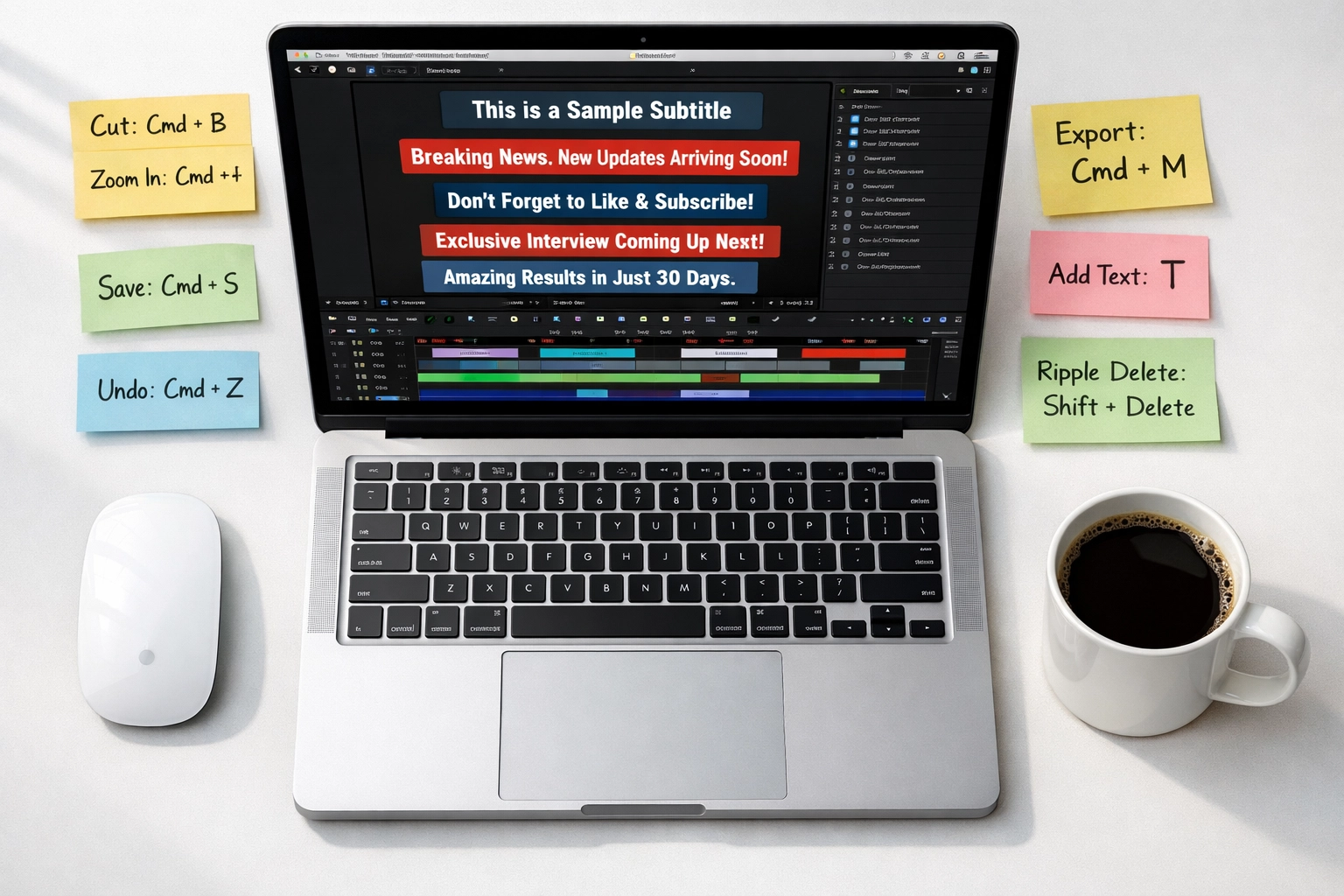
Use keyboard shortcuts like your life depends on it. Seriously. Learning just 10 shortcuts (cut, split, ripple delete, zoom in/out) will save you hours every month. Print a cheat sheet and tape it above your monitor.
Organize your footage BEFORE you start editing. Create folders for A-roll, B-roll, music, sound effects, and graphics. Name your files clearly (not "IMG_4839.mov"). Future you will thank present you.
Proxy editing for 4K footage. If your computer is chugging through 4K files, create lower-resolution proxy files for editing, then swap back to full quality for export. This trick alone can make editing feel 10x faster.
For more advanced workflows and systems, check out the training inside The Internet Insiders Club, we cover everything from one-video-per-day systems to full production workflows.
The Bottom Line: Work Smarter, Not Longer
You didn't get into video creation to become a full-time editor sitting in a dark room for 12 hours a day.
You got into it to build your brand, grow your audience, and make an impact (oh, and make some money while you're at it).
The tools and AI prompts in this post will give you back your TIME: the most valuable asset you have. Use that extra time to create MORE content, serve MORE clients, or simply enjoy life outside your editing chair.
Here's your next step: Head over to SimonLeung.com and grab the FREE 8-in-1 Bonus Bundle. Inside, you'll get:
- 50+ AI prompts for video, marketing, and sales
- Video SEO cheat sheet
- Content repurposing templates
- Access to our private training vault
Stop wrestling with post-production. Start creating videos that actually move the needle in your business.
Let's go. ?